Downloads › Available Software
A full-featured Windows EPOS for small retailers — multi-store, multi-till, loyalty points, purchase orders, and comprehensive reporting, all in one application.
Windows 10 / 11 · 30-day free trial · Licence required thereafter
Overview
The DPW Solutions EPOS system is a fully featured point of sale application for Windows, designed for small retailers who need a capable, professional system without the cost and complexity of large commercial packages.
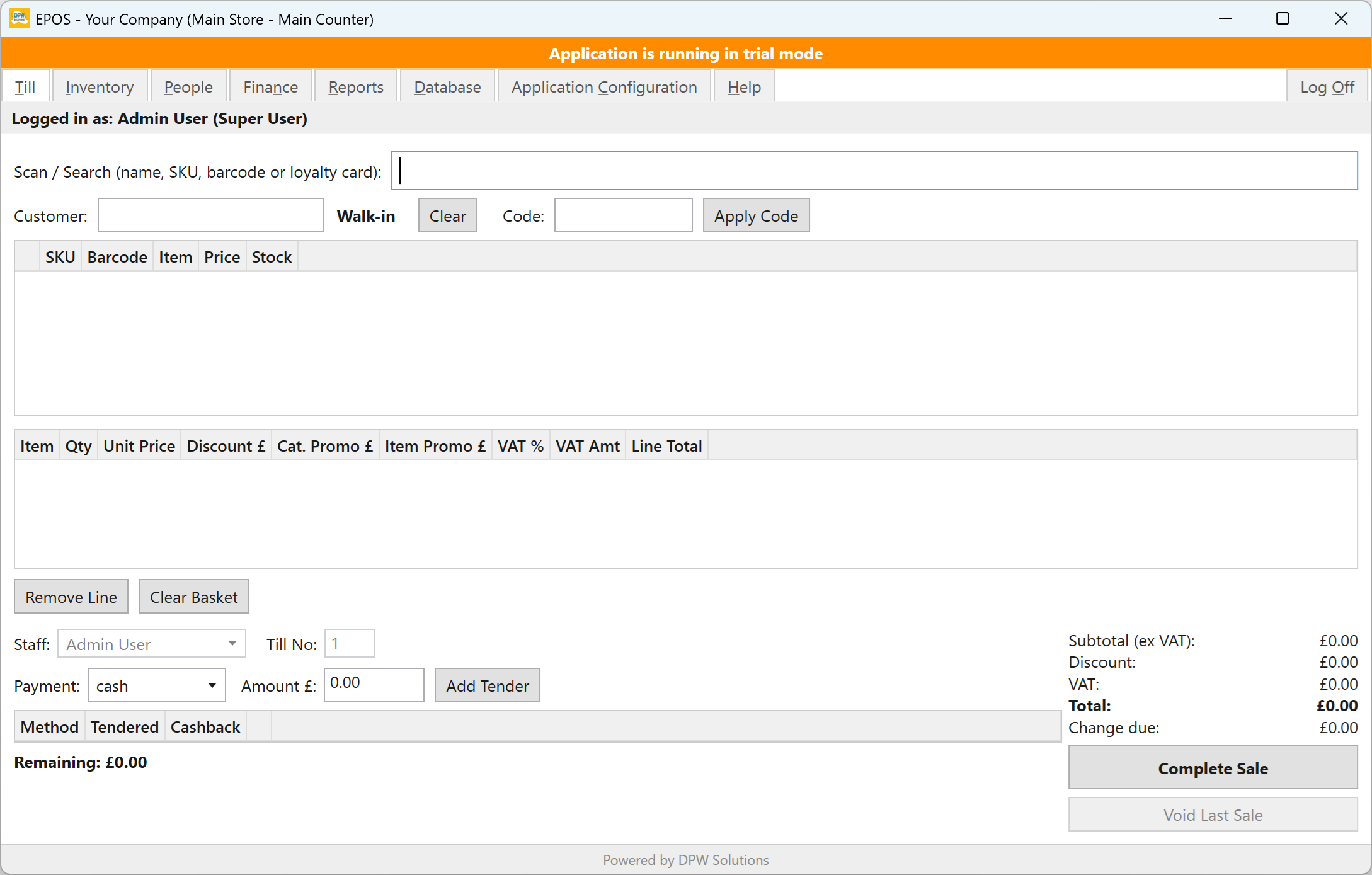
At its core is a fast, straightforward till screen — scan a barcode, select a product, take payment, and complete the sale. But beyond the till, the system covers the full retail workflow: stock management, supplier purchase orders, customer accounts, staff management, flexible discounting, and detailed reporting.
Multiple tills across multiple store locations are all supported from a single shared database, with stock, customers, and reports managed centrally.
The system runs on any standard Windows PC and requires no internet connection for day-to-day use. Your data stays on your own machine or network — there are no cloud subscriptions or third-party data storage.
A 30-day free trial gives you full access to every feature before you decide to purchase. Licensing is per database — one licence covers all machines and tills connecting to that database, however many there are.
Ongoing updates are built in: the application can check for new versions automatically and install them in a few clicks, without losing any data.
Screenshots
Browse all 19 screenshots — from the till and inventory screens through to reports, configuration, and an example receipt.
Features
From the till to the back office, the DPW Solutions EPOS system covers the complete retail workflow in a single Windows application.
Search and add items by name, SKU, or barcode scan. Apply manual line discounts or let automatic promotions apply. Accept cash, card, contactless, voucher, or loyalty points — or split across multiple methods. Print or email receipts. Void the last sale. Cashback on card is supported.
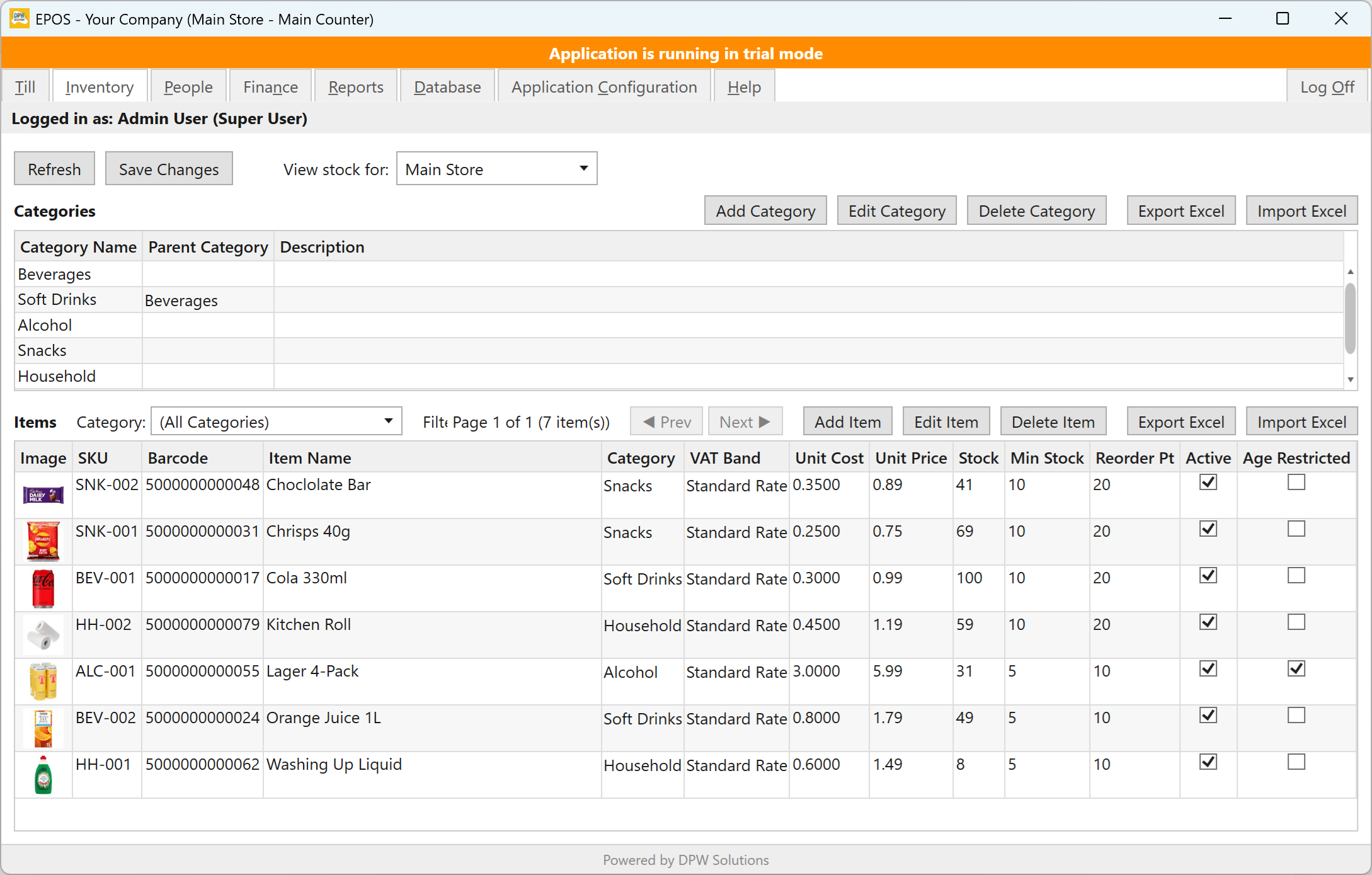
Manage a full catalogue with categories (including nested sub-categories), SKUs, barcodes, pricing, VAT bands, stock levels, reorder thresholds, supplier links, product images, and age-restriction flags. Bulk import and export via Excel.
Stock is deducted automatically with every sale and updated when purchase orders are received. Manual adjustments cover stocktakes, damage, and shrinkage. Transfer stock between stores in a single step. Low-stock alerts flag items that need reordering.
Raise purchase orders against your suppliers, send them by email directly from the system, and record deliveries to update stock automatically. Full order history from draft through to received, with part-delivery support.
Maintain a customer database with contact details, date of birth for age verification, loyalty card numbers, and marketing opt-in. Link customers to sales for loyalty tracking, targeted discounts, and emailed receipts. Import and export via Excel.
Create staff accounts with role-based permissions controlling exactly which screens and actions each person can access. PIN-based login with lockout protection. Track shifts and calculate labour costs. Wage compliance checking against National Living/Minimum Wage bands.
Configure automatic promotions by percentage, fixed amount, or buy X get Y — applied to the whole basket, a category, or individual items. Scope to all customers, registered customers, or loyalty tier. Add coupon codes, date/time windows, day-of-week restrictions, and redemption limits.
Reward returning customers with a points scheme — earn points per £1 spent, redeem as a payment method at the till. Optionally set up loyalty tiers (Bronze, Silver, Gold) to unlock tier-specific discounts and offers. Points and tiers update automatically with every sale.
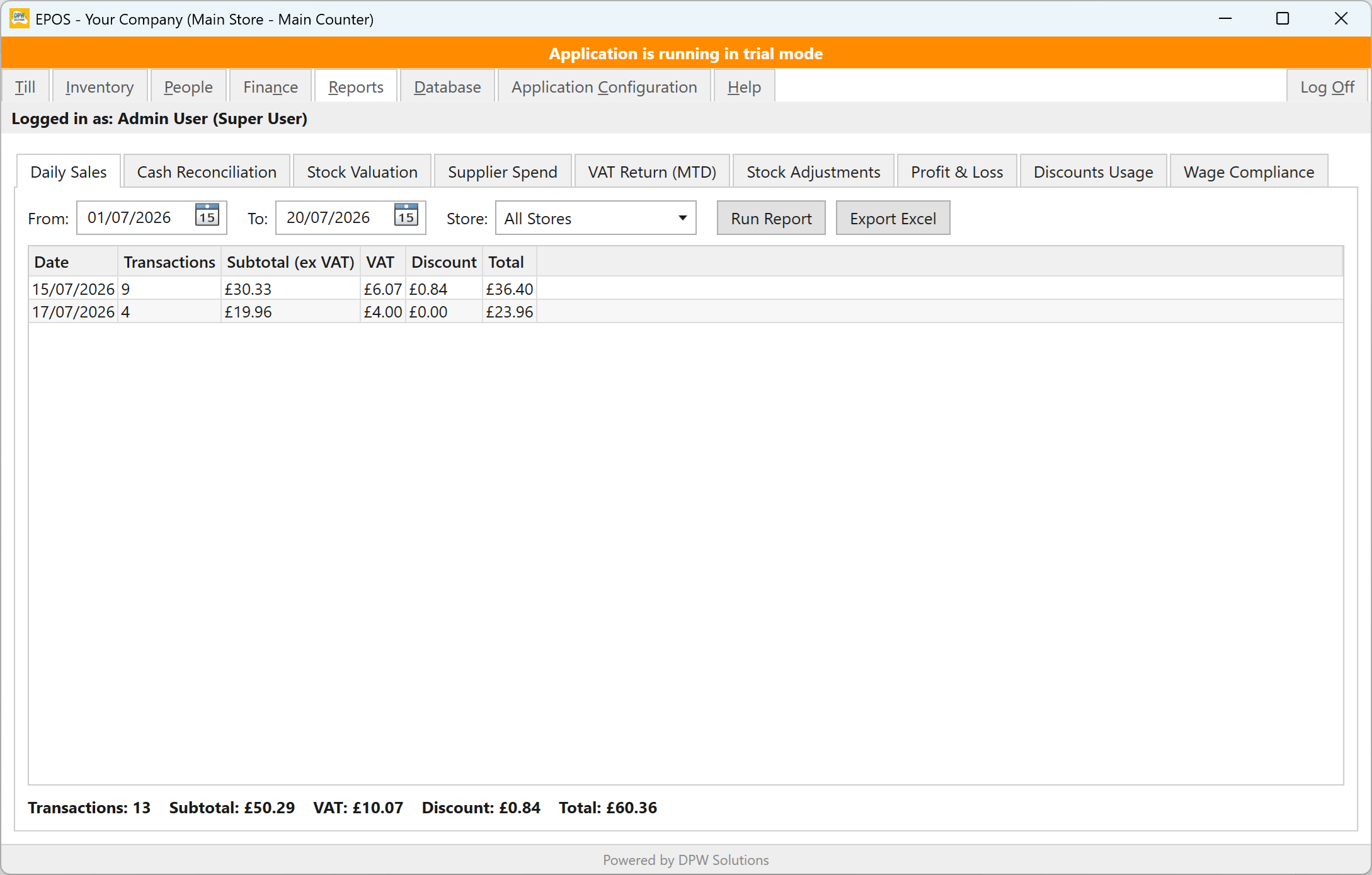
Nine built-in reports: Daily Sales, Cash Reconciliation, Stock Valuation, Supplier Spend, VAT Return (MTD-ready), Stock Adjustments, Profit & Loss, Discounts Usage, and Wage Compliance. Every report can be exported to Excel. Filter by store and date range.
Run any number of tills across any number of store locations, all sharing a single database. Each store has its own stock pool, till records, and delivery address. Reports can be run per store or across all locations combined.
Age-restricted items trigger automatic Challenge 25 checks at the till. Customers with a date of birth on file are checked automatically; others require manual ID confirmation. Under-18 cashiers require adult sign-off to complete an age-restricted sale.
Back up and restore the database directly from within the application — no separate tools needed. Application logs are accessible from the same screen for easy troubleshooting. The entire configuration (branding, SMTP settings, company info) is stored in the database and shared across all tills automatically.
A built-in configuration editor lets you tailor the system to your business without touching any files. Key settings include the loyalty points programme (disabled, standard, or tiered — including the points earned per £ spent and the points required to redeem £1), outgoing email and customisable email templates for receipts and purchase orders, company name and address printed on receipts and purchase orders, SMTP email server, date display format, and how often the system checks for updates. The entire UI — colours, fonts, and sizing — is also fully customisable. All settings are stored in the database and apply to every store and till automatically.
System Requirements
The system is designed to run on any modern Windows PC or laptop. Multiple tills connect to a shared database over your local network.
Windows 10 or Windows 11 (64-bit)
Any modern dual-core processor
4 GB RAM minimum
200 MB free disk space
Any Windows-compatible receipt or A4 printer
Not required for a single till or single-store setup on its own network. Required for system updates and multi-store environments.
Any USB or Bluetooth HID barcode scanner
Local network required for multi-till setups
Documentation
Download the PDF guides below to get up and running quickly and make the most of every feature.
Trial & Licensing
The 30-day trial starts automatically when the database is first created — no registration or payment required. During the trial, every feature is available with a limit of up to 2 stores and 2 tills.
Licensing is per database — all machines and tills connecting to the same database are covered under a single licence, whether on the same premises or different locations. Need more than one database? Each additional database requires its own licence.
Contact Us for Pricing